75db App for AndroidDownload the APK
Free, 52 MB, and it opens the account you already use on the site. Tap the file, allow the install, and the lobby with 4,100 games sits one tap from your home screen.
18+ · Play Responsibly
APK file LIVE
- VersionAndroid build2.5.19
- File size75db.apk52 MB
- AndroidMinimum6.0
- UpdatedLatest build10 Nov 2026
- PriceNo chargeFree
Is the 75db app better than the browser on your phone?
Same account, same wallet, different behaviour on a crowded network.
Both routes reach the same 75db balance, and both pay out to the same bKash number. Where they part company is the network you happen to be standing in: a packed bus on Mirpur Road, campus Wi-Fi that times out every few minutes, a handset with very little free storage left.
| Feature | 75db app | Mobile browser |
|---|---|---|
| First load | Installs once, then opens the lobby from cache | Fetches page files on every visit |
| Weak signal | Covers and icons are already on the phone | Images reload after the tab sleeps |
| Staying signed in | Stays logged in until you sign out | Session drops when you close tabs |
| The lobby | 4,100 slots, live tables, crash, cricket markets | Same games and same balance |
| Cashier | bKash, Nagad, Rocket, Upay, bank transfer | The same five methods |
| Updates | You install each new build yourself | Always the newest version |
| Storage | 52 MB plus game cache | Nothing installed |
The browser wins on a borrowed phone or an office laptop: nothing to install, nothing left behind after you sign out. The app wins on your own handset, where the lobby is a single tap away and a deposit confirmation arrives as a notification instead of an SMS you might miss.
One rule either way: never sign in on a device you do not control, and log out when you finish. Still opening an account? The 75db register page walks through the form, and the 75db login page covers the code that arrives by SMS.
What the 75db app installs, and what it never touches
Read this before you tap allow on any file.
An Android APK asks for permission once at install time, and again whenever it reaches a protected part of the phone. Here is exactly what the 75db build requests, and what should make you stop and check the file.
Storage for its own files
The app writes its cache and game cover images into app storage so the lobby does not download them again. It does not read your gallery, your files app, or anything saved outside 75db.
No SMS, contacts or location
75db does not ask to read SMS messages, your contact list or your GPS position. A file that opens with those requests is not the build from this page. Close it, delete it, and tell support.
One download address
Install the build from 75db.vu only. Files passed around Telegram groups or Facebook pages can be repacked with extra code and still carry the same icon, so bookmark this page instead of searching.
Your wallet PIN stays yours
bKash, Nagad, Rocket and Upay deposits open inside the wallet app, where you type the PIN yourself. Nobody from 75db will ask for that PIN, for an OTP, or for a screenshot of your balance in chat.
If any screen asks for something that is not on this list, stop and reach live chat before tapping allow.
Version, file size and Android requirements
The current build, in numbers, so you can check what you are installing.
The current 75db app build is 2.5.19. It ships as a single 52 MB file, costs nothing, and runs on Android 6.0 and newer. Nothing extra is bundled with it: no toolbars, no second app, no subscription prompt on launch.
- Signed build served from 75db.vu, the same file the support team sends in live chat.
- English and Bangla on first launch, with a switch in settings whenever you want the other.
- Updates arrive as a fresh APK from this page, never installed behind your back.
File: 75db.apk · 52 MB · version 2.5.19
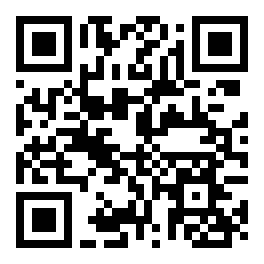
Reading this on a laptop? Scan the code with your phone camera and the same APK opens there.
| Version | 2.5.19 |
|---|---|
| File size | 52 MB |
| Minimum Android | 6.0 |
| Updated | 10 November 2026 |
| Price | Free |
| Languages | English, Bangla |
Installing the 75db APK on Android, step by step
Five moves from tap to lobby, plus the iPhone route.
-
Allow installs from your browser
On Android 8 and newer, open Settings, go to Apps, then Special access, then Install unknown apps. Pick the browser you will download with and switch Allow from this source on. One source is enough.
-
Download 75db.apk from this page
Tap the Download APK button above. The file is 52 MB, so stay on Wi-Fi if you can: it is a few seconds on 4G and noticeably longer on a weak 3G signal in the evening.
-
Open the file and confirm the install
Chrome shows a download banner when the transfer finishes. Tap it, choose Package installer, then Install. Play Protect may offer a scan first, which is harmless: it reads the file and changes nothing.
-
Sign in with the account you already have
Enter the phone number or username and password you use on the site. New to 75db? Register first, then come back and sign in here. The app does not create a second account for you.
-
Switch on alerts for deposits
Allow notifications when the app asks. Notifications carry deposit confirmations and withdrawal updates, so a payment that lands in 3 minutes does not sit unnoticed while you keep playing.

On iPhone and iPad: add 75db to the Home Screen
The APK is built for Android. On iOS the same account opens in Safari, and adding it to the Home Screen gives you a full-screen icon without the browser bars.
- Open Safari and go to 75db.vu.
- Tap the Share button, scroll down, choose Add to Home Screen.
- Name it 75db and tap Add, then sign in from the new icon.
What opens once you are signed in
The same lobby as the site, sized for a thumb.
Nothing is stripped out of the mobile build. The sections below are the ones people open most on a phone, and each of them runs on a BDT balance with no currency conversion at the checkout.
Slots from five studios
Pragmatic Play, CQ9, Habanero, Red Tiger and Spribe fill a 4,100-title lobby. Covers are stored on the phone, so the list keeps scrolling when the signal falls to two bars.
Live dealer tables
Baccarat, roulette and card tables stream from the studio. When bandwidth tightens the video steps down in quality instead of freezing mid-hand, and the betting grid stays live.
Crash and quick rounds
Spribe crash and keno settle in seconds, which suits a bus ride. Set the stake in BDT, take your cashout point, and the round ends before the next stop.
Cricket on match night
BPL fixtures, international series and football leagues, with 1X2, over and under, and in-play markets. The slip keeps your selections while the app sits in the background.
Cashier in the same window
bKash, Nagad, Rocket, Upay and bank transfer sit behind one button. Deposits usually land in 3 minutes and withdrawals are quoted at 30 minutes, with the first one waiting on KYC.
Support without leaving
Live chat runs 24/7 in Bangla and English from inside the app. A deposit that has not arrived, a bonus that did not credit, a password that will not take: the same window handles it.
Two games from the lobby, in case you want a starting point. Both are live in the app right now, and the RTP figures come from the provider sheets, not from us.


The full list, filterable by studio and volatility, sits on the 75db casino page if you would rather browse before installing.
When the install refuses to finish
Five failures cover almost every report we get.
Most failed installs come down to three things: a half-finished download, an older build sitting on the phone with a different signature, or a permission that newer Android versions hide in a different menu. Work down the table before you decide the file is broken.
| What you see | Why it happens | What to do |
|---|---|---|
| Parse error | The download broke off partway, usually because the tab closed or storage ran out during the 52 MB transfer. | Delete the file from Downloads, free a little space, then download 75db.apk again from this page and install the fresh copy. |
| App not installed | An older 75db build is already on the phone, signed with a different key, and Android will not overwrite it. | Uninstall the old app first, then run the new APK. Your account, balance and history live on the server; only the local cache is lost. |
| Unknown sources is greyed out | From Android 8 onward the switch sits inside each browser's own settings, not in the main Settings list. | Open Settings, go to Apps, pick the browser you downloaded with, choose Install unknown apps, and allow that single source. |
| Play Protect blocks the file | Google flags every APK that did not arrive through the Play Store, including clean ones. | Tap More details, then Install anyway. Running the scan first is harmless: it reads the file and leaves it unchanged. |
| Blank screen after launch | Leftover cache from an interrupted update, or a phone running something older than Android 6.0. | Close the app, open Settings, Apps, 75db, Storage, clear the cache, then reopen. On Android 5, use the browser version instead. |
Still stuck? Live chat runs 24/7 and the team can check whether your download matches the current 2.5.19 build before you try again.
Put the 75db lobby on your home screen
Tap the file on the phone, or scan the code on a desktop. Either route lands on the account and the BDT balance you already use on the site.
-
One sign-in, the one you already own
The APK opens the account you created on the site. No second registration, no new password to memorise.
-
Built for a crowded network
Covers and icons stay on the handset after the first load, so a signal drop on the way home does not leave you staring at an empty screen.
-
Cashier without leaving the app
bKash, Nagad, Rocket, Upay and bank transfer sit two taps from the lobby. Deposits settle in about 3 minutes, withdrawals in about 30.
-
Live chat open around the clock
Support answers in Bangla and English 24/7, and stays reachable right through your first KYC review.
Scan with your phone camera
Straight answers about the 75db app
The questions that come up before and after the first install.
Is the 75db APK safe to install?
The file on this page is the build the 75db team publishes, versioned and signed. It installs outside the Play Store, which is why Android warns you before running it. Download it here rather than from a Telegram group, check that the size reads 52 MB, and you have the same file support would send you in chat.
The APK will not install. What is blocking it?
Nine times out of ten it is an older build already on the phone under a different signature. Uninstall the previous 75db app, then install the new file. If the installer still stops, free some storage, confirm the download finished at 52 MB, and make sure installs are allowed for the browser you used.
How do I update to a newer version?
There is no silent update. When a new build ships, this page shows a new version number and date. Download the APK again and install it over the old app: your login, balance and open bets carry across because the account sits on the server, not on the handset.
Does it run on Android 5.0, or on an iPhone?
The app needs Android 6.0 or newer. On older Android handsets, and on every iPhone or iPad, the browser version is the route in: 75db.vu loads the same lobby, cashier and markets. On iOS you can add the site to the Home Screen and it opens full screen, without the address bar.
Do I need a separate account for the app?
No. The app is a window onto the same 75db account. Use the phone number or username and password you already have. If you are new, register first and then sign in on the phone. Bonuses, VIP progress and withdrawal limits follow the account, not the device you happen to be holding.
Will the app use more data than the browser?
Less, in most cases. Covers, icons and game files are stored once on the phone, so the lobby does not re-download them on every visit. Live dealer video is the heavy part: an hour at a baccarat table costs more data than an hour of slots, so keep long sessions on Wi-Fi where you can.
Can I deposit and withdraw from inside the app?
Yes. The cashier opens bKash, Nagad, Rocket, Upay and bank transfer, with a ৳200 minimum deposit and a ৳700 minimum withdrawal. Deposits usually show within 3 minutes and withdrawals are quoted at 30 minutes; the first one also waits for KYC, which is reviewed in about 2 hours.